Top Cybersecurity Threats Targeting Remote Teams and How to Counter Them
Introduction: The New Cybersecurity Frontier
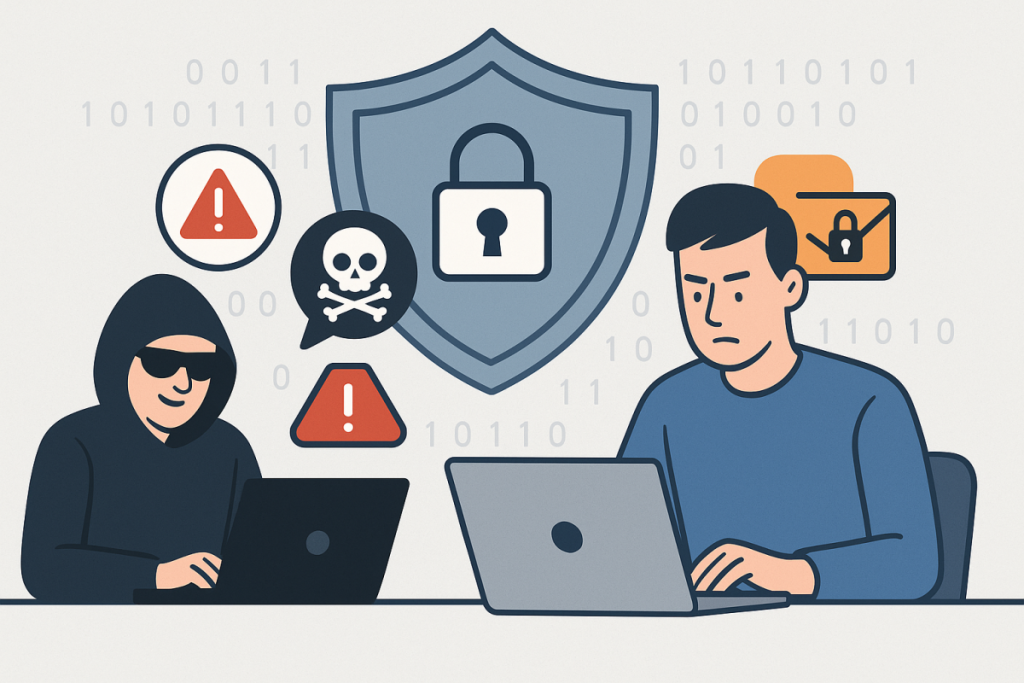
The rapid shift to remote work has opened up a world of opportunities for businesses and professionals alike. However, this transformation has also introduced a host of new cybersecurity challenges. As the boundaries between home and office environments blur, so do the traditional lines of defense against cyber threats. Cybercriminals are highly adaptive, quickly exploiting the vulnerabilities inherent in remote work setups. In this article, we delve deep into the top cybersecurity threats facing remote teams and offer actionable, practical strategies to help your organization stay resilient in the ever-evolving digital landscape.
The Most Pressing Cybersecurity Threats for Remote Teams
1. Phishing Attacks: The Ever-Present Danger
Phishing remains the most common and effective method hackers use to breach corporate defenses, especially in remote work environments. Attackers take advantage of increased digital communication—emails, instant messaging platforms, and collaboration tools—to trick employees into revealing sensitive information or installing malware. These attacks are becoming more sophisticated, using social engineering and personalization to bypass traditional security measures.
Example: Consider a remote employee who receives an email that appears to be from their IT department, complete with official branding and urgent language. The message requests them to “verify their login” via a provided link. Unbeknownst to the employee, the link leads to a meticulously crafted fake login page designed to harvest their credentials. Such phishing attempts often bypass basic spam filters and can even occur over SMS, messaging apps, or social media.
How to Counter Phishing Attacks
- Ongoing Training: Conduct regular, interactive cybersecurity awareness training sessions. Use real-world phishing simulations to help employees recognize red flags such as suspicious URLs, unexpected attachments, or requests for sensitive information.
- Email Filtering: Deploy advanced email security solutions that leverage AI and machine learning to detect and block phishing attempts in real-time. These solutions can analyze email metadata, sender reputation, and message content for anomalies.
- Multi-Factor Authentication (MFA): Require MFA for all critical accounts. Even if credentials are compromised, MFA adds an additional layer of security, making unauthorized access significantly more difficult.
- Clear Reporting Channels: Establish an easy, well-publicized process for employees to report suspicious messages, enabling rapid response and threat containment.
2. Unsecured Home Networks
Unlike the tightly controlled IT environments of traditional offices, home networks are often less secure and more vulnerable to cyber threats. Many employees continue using default passwords, outdated routers, and unsecured Wi-Fi settings. Shared networks with family members or guests further increase exposure, potentially providing hackers with a convenient entry point to corporate resources.
Example: Imagine a cybercriminal scanning for vulnerable home networks using automated tools. They identify an employee’s router with an unpatched firmware vulnerability and exploit it to intercept sensitive files or communications, gaining a foothold into the organization’s data.
How to Secure Home Networks
- Promote Strong Passwords: Require employees to change default router credentials and use unique, complex passwords combining letters, numbers, and symbols.
- Regular Updates: Educate team members on the importance of routinely updating router firmware, as well as all connected devices (laptops, IoT gadgets, smartphones) to patch known vulnerabilities.
- Guest Networks: Encourage the setup of isolated Wi-Fi networks dedicated exclusively to work devices, minimizing the risk posed by less secure personal or guest devices.
- Network Security Tools: Recommend or provide network security tools (such as firewalls or network monitoring apps) that can detect unusual activity and alert users to potential intrusions.
3. Endpoint Security Risks
Laptops, smartphones, and tablets are indispensable for remote work, but each device represents a potential attack vector. Risks increase when devices lack encryption, run outdated software, or are used for both personal and professional purposes. Lost or stolen devices can result in catastrophic data breaches if not properly protected.
Example: Suppose an employee leaves their laptop unattended at a coffee shop, and it is stolen. Without device encryption or a strong password, the thief can easily access sensitive emails, documents, and client data stored locally or cached in applications.
Best Practices for Endpoint Security
- Device Encryption: Mandate full-disk encryption on all work-related devices. This ensures that even if a device is lost or stolen, its data remains inaccessible without proper authentication.
- Remote Wipe Capability: Enable remote wipe features through device management solutions, allowing IT administrators to erase all data from lost or compromised devices instantly.
- Automatic Updates: Enforce policies that require operating systems and critical applications to update automatically. Regular patching helps close security gaps exploited by malware and hackers.
- Endpoint Protection Suites: Utilize comprehensive endpoint protection solutions that include antivirus, anti-malware, firewall, and intrusion detection features—tailored for remote use.
4. Cloud Storage Vulnerabilities
Cloud-based productivity tools—such as Google Drive, Microsoft 365, Dropbox, and Slack—are now integral to remote collaboration. However, misconfigured permissions, weak authentication, or lack of oversight can result in unauthorized access, accidental data leaks, or compliance violations.
Example: A project manager inadvertently sets a shared folder to “public,” exposing sensitive financial documents to anyone with the link. Alternatively, a compromised cloud account can be used to exfiltrate data or plant malicious files across the organization.
How to Secure Cloud Storage
- Review Permissions: Implement regular audits of file and folder permissions, ensuring that only authorized users have access to sensitive data. Remove outdated or unnecessary access privileges.
- Strong Authentication: Require MFA for all cloud service accounts, especially those with administrative privileges. Encourage the use of password managers to ensure strong, unique passwords.
- Data Loss Prevention (DLP): Deploy DLP solutions to monitor data movement, block unauthorized sharing, and alert administrators to suspicious activities involving sensitive information.
- Cloud Security Posture Management (CSPM): Use CSPM tools to automatically detect and remediate misconfigurations in cloud environments.
5. Shadow IT: The Tools You Don’t Know About
Shadow IT refers to employees using unsanctioned applications, cloud services, or hardware without IT approval. While often motivated by convenience or productivity, these tools are not vetted for security and may introduce vulnerabilities, data leakage, or non-compliance with industry regulations.
Example: A remote worker, frustrated by email attachment size limits, uploads confidential files to a free third-party file-sharing website. Unbeknownst to them, the service stores files unencrypted on public servers, putting proprietary data at risk of exposure or theft.
Mitigating Shadow IT Risks
- Clear Communication: Engage employees in regular conversations about the organization’s approved technology stack and the security risks associated with unapproved tools.
- Monitoring: Implement network and endpoint monitoring solutions that can detect unauthorized application usage, cloud service access, or data transfers.
- Flexible Policy: Involve employees in the technology selection process, balancing productivity needs with security requirements. Offer sanctioned alternatives that are secure yet user-friendly.
- Automated Alerts: Set up automated alerts for suspicious file transfers or unrecognized application installations on company devices.
6. Insider Threats
Not all cybersecurity threats come from external actors. Insider threats—whether intentional (malicious) or accidental (negligent)—are particularly challenging to detect and prevent, especially when employees are working from disparate locations. Remote work can mask warning signs, such as unusual data access patterns or disgruntled behavior.
Example: An employee who is about to leave the company downloads a database of client contacts, intending to use it at a new job, or an unaware team member accidentally sends sensitive payroll information to the wrong recipient.
Reducing Insider Threat Risks
- Least Privilege Principle: Apply the principle of least privilege by granting users access only to the resources they need for their specific roles. Regularly review and update permissions as roles change.
- Offboarding Protocols: Enforce comprehensive offboarding procedures, including immediate revocation of access to all systems, cloud accounts, and physical devices when an employee leaves.
- Behavior Monitoring: Leverage security information and event management (SIEM) tools to monitor user behavior for anomalies, such as large data downloads, unusual login times, or access from unexpected locations.
- Data Classification: Implement data classification and labeling policies so employees are aware of the sensitivity of the information they handle, reducing the risk of accidental leaks.
7. Ransomware Attacks
Ransomware attacks, where malicious actors encrypt files and demand payment for decryption keys, are a growing threat in the remote work era. Decentralized networks and remote endpoints create numerous entry points for attackers, and the financial and operational damage can be crippling.
Example: An employee inadvertently opens an email attachment containing ransomware. The malware quickly spreads via mapped drives and cloud sync folders, encrypting shared documents across the team and halting critical business operations until a ransom is paid—or data is restored from backups.
Defending Against Ransomware
- Regular Backups: Maintain frequent, encrypted backups of all critical data, both locally and in the cloud. Test backup recovery processes regularly to ensure data can be restored quickly in the event of an attack.
- Patch Management: Systematically update all software, operating systems, and third-party applications to address known vulnerabilities exploited by ransomware groups.
- Email Filtering and User Training: Combine advanced email threat protection with user education to reduce the likelihood of malicious attachments or links being opened.
- Least Privilege and Network Segmentation: Restrict user permissions and segment networks to limit the spread of ransomware if an endpoint is compromised.
Actionable Steps for Securing Remote Teams
While the threat landscape is constantly evolving, organizations have access to a growing arsenal of security solutions. Here are actionable steps every company should take to protect their remote workforce:
- Implement a Zero Trust Security Model: Shift from a perimeter-based approach to one that trusts no user or device by default—regardless of location. Continuously verify identities, enforce least-privilege access, and monitor device compliance before granting access to sensitive resources.
- Enforce Security Policies: Develop and regularly update clear security guidelines tailored for remote work. Address topics such as secure device usage, password hygiene, data handling, patching frequency, and incident reporting. Distribute policies through accessible digital handbooks and training sessions.
- Invest in Cybersecurity Tools: Equip remote teams with secure VPNs, endpoint protection platforms, DLP systems, and cloud access security brokers (CASBs). Choose solutions that provide centralized visibility and control over remote endpoints and data flows.
- Foster a Security-First Culture: Make cybersecurity a core organizational value. Recognize and reward employees for reporting threats, encourage open dialogue about security concerns, and integrate security awareness into onboarding and ongoing training programs.
- Regularly Test and Update Incident Response Plans: Develop robust incident response and disaster recovery plans tailored to remote work scenarios. Conduct tabletop exercises and simulated attacks to ensure all team members understand their roles in the event of a breach.
- Continuous Monitoring and Threat Intelligence: Utilize real-time monitoring and subscribe to threat intelligence feeds to stay ahead of emerging threats and vulnerabilities.
- Engage Leadership: Ensure executive buy-in for cybersecurity initiatives and allocate sufficient budget for ongoing improvements.
Conclusion: Staying Ahead of Cyber Threats in a Remote World
As remote work solidifies its place in the modern business landscape, so too does the sophistication of cyber threats. The key to staying secure lies in a proactive, layered defense strategy that combines advanced technologies, rigorous policies, and a culture of continuous awareness. By understanding the unique risks facing remote teams and implementing comprehensive security measures, organizations can empower their workforce to operate safely and efficiently—no matter where they are in the world. In this new cybersecurity frontier, vigilance, adaptability, and collaboration are your best defenses against the ever-evolving tactics of cybercriminals.